Bouncer Vaultby S6 Studios

How it works

From request to revoke

When a request needs approval, a person approves or denies it on their own device. Until the grant ends, Bouncer can issue the requester short-lived credentials limited to that resource. Copied values and open sessions have their own lifetimes.

The parts

Bouncer is an approval service built on OpenBao. The approval path and the path a credential takes are separate.

Bouncer server

Checks requests, device signatures and policy, records grants, and asks OpenBao for scoped tokens or SSH certificates. It stores request and approval metadata. It handles plaintext when people view, save or create credentials through the apps.

OpenBao

Stores credential values and issues tokens and SSH certificates. Bouncer uses a configured role whose permissions limit what it can issue, read or write. In the example below, the requester uses its token to read the value directly from OpenBao.

Approver apps

Bouncer Mobile and Bouncer Desktop, paired with your server. Each holds an approval key that signs decisions.

Requesters

People, scripts, services and AI agents ask through the bouncer CLI, bouncer-mcp or the apps' New request. The command or agent uses the credential to connect to the target system; Bouncer does not proxy that connection.

Stored-secret retrieval through OpenBao A stored-secret request requiring approval. By default step 4 returns a single-use wrapping token, exchanged at OpenBao for the read token before step 5. With the server-wide --release-mode direct setting, step 4 returns the read token itself. The caption explains other credential paths. 1. Ask for a stored secret Requester Bouncer → 2. Sign a decision Approver app Bouncer → 3. Request a scoped token Bouncer OpenBao → 4. Return a token (see below) Bouncer Requester → 5. Read the stored value Requester OpenBao → 6. Connect to the target Requester Target system →

Stored-secret retrieval only. This shows a resource that requires approval; by default the token arrives wrapped. At diagram step 4, the requester gets a single-use wrapping token and exchanges it at OpenBao for the read token before diagram step 5. With the server-wide --release-mode direct setting, diagram step 4 returns the read token itself.

For personal credentials, Bouncer reads the value with its own OpenBao role and has OpenBao wrap it; the requester unwraps it at OpenBao and never receives a read token. App views, saves and credential creation pass plaintext through the Bouncer server.

For SSH host access, the requester gets a signed certificate instead. Diagram steps 5 and 6 differ: there is no stored value to read, and the requester uses the certificate to log in to the SSH host.

The same flow on a phone

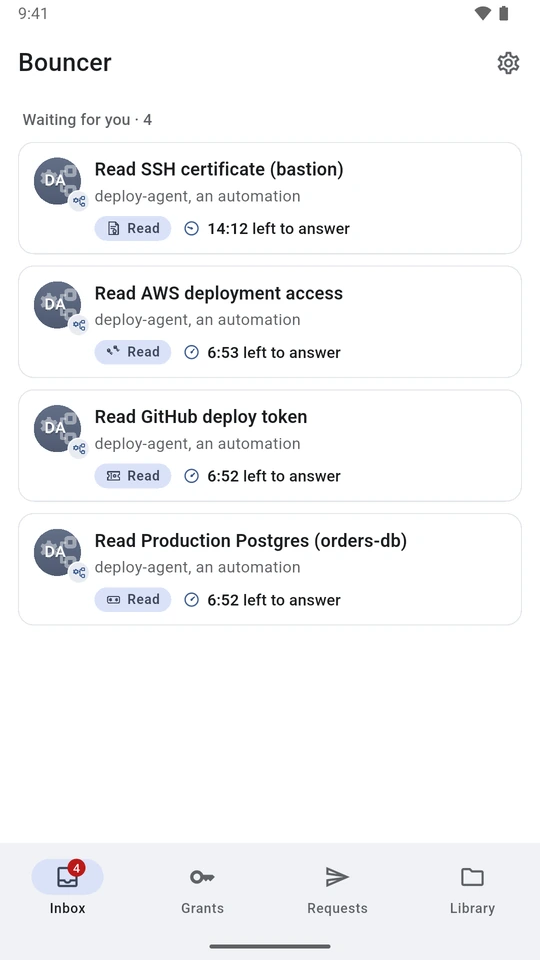
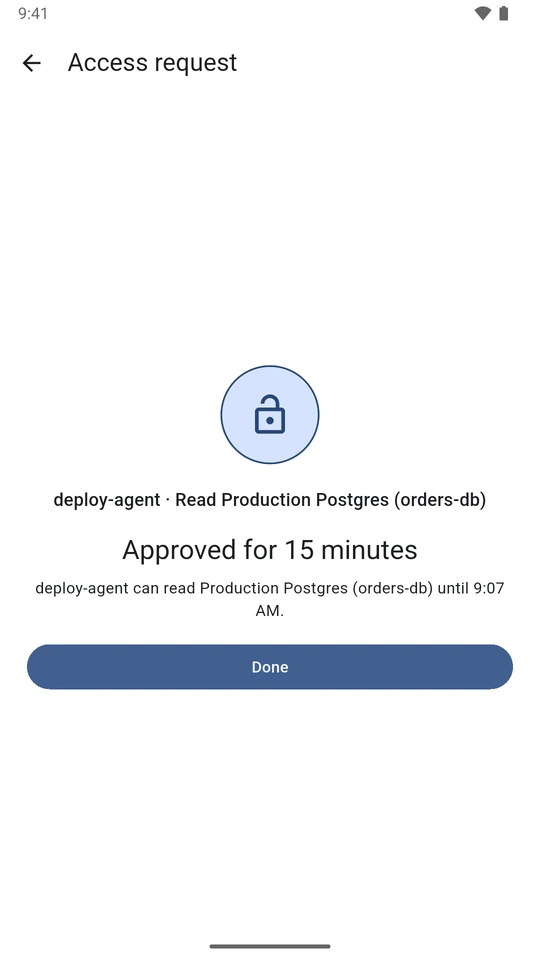
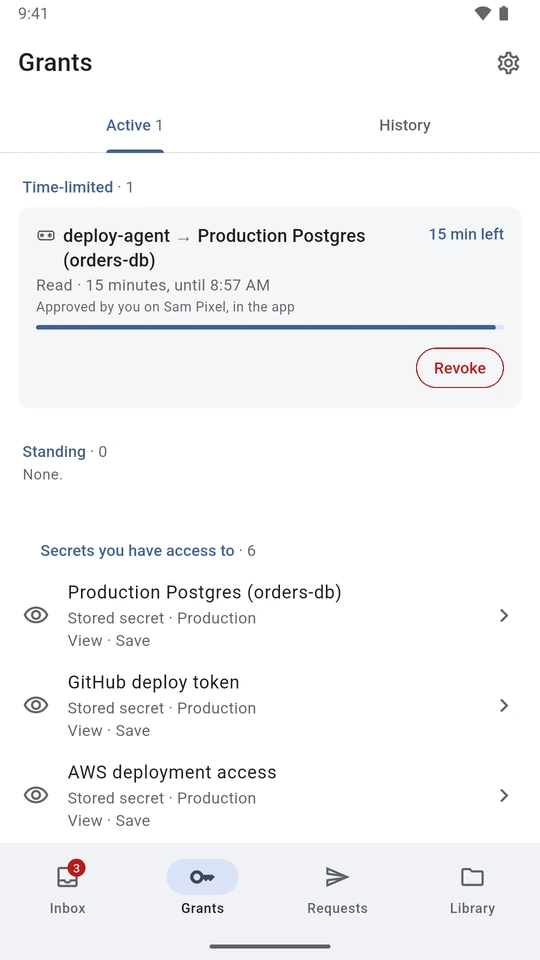
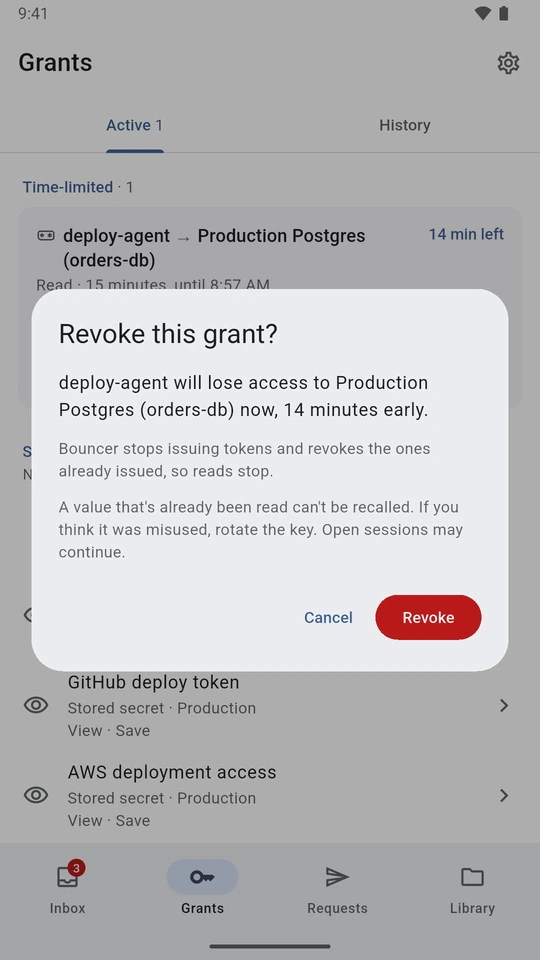
Bouncer Mobile on an Android emulator, with a real Bouncer server and fake example data, captured from the current development build. Everything shown is in 0.5.8, though some screens may look slightly different there. An automation called deploy-agent asks for a database password, and the approver, Sam, answers on the phone.

Bouncer Mobile inbox with four waiting requests from deploy-agent, an automation: an SSH certificate, AWS access, a GitHub deploy token and Production Postgres, each with time left to answer.
Requests wait in the inbox, each with time left to answer.
Bouncer confirms that deploy-agent can read Production Postgres (orders-db) for 15 minutes, until 9:07 AM, with a Done button.
Once the approver signs, the app confirms the grant and when it ends.
Grants screen showing deploy-agent access to Production Postgres (orders-db) with 15 minutes left, a countdown bar and a Revoke button.
An active grant counts down, with Revoke to end it early.
Revoke this grant? deploy-agent will lose access to Production Postgres now, 14 minutes early. A value that has already been read can't be recalled.
Revoking ends access early. A value already read can't be recalled.

Step by step with fake data

This is an excerpt from isolated tests on 17 November 2026: Bouncer server and Linux CLI 0.5.6, built from source revision 88fddb2466e207e5b41613e3b01766cbd86ef62a, with real OpenBao 2.7.2 in development mode and in-memory storage. Every value was fake. These results describe that test build only. Each step below was run in that test unless it says otherwise. "From the source" means we read the code but didn't run that case.

The approver was a test program, not a phone or PC. It kept its approval key in software and made real P-256 signatures. It was registered as docs-j-phone, which is why that name appears in the output below. No phone, push notification or hardware-backed key was involved. The resource ID was prod-db-password (shown as Example API key in the test setup), holding a fake password field. No database migration was run.

To try this yourself, set up a server from the server setup summary and the instructions supplied with your release, then use the CLI commands with your own fake resource. The excerpts below are results we observed, not a complete installation procedure.

  1. Ask for a short grant

    The requester listed its resources, then asked for 15 minutes. The reason is text supplied by the requester, not proof a migration will happen.

    bouncer resources
    REQ=$(bouncer request prod-db-password --for 15m --reason "Run the March billing migration")

    The request was req_01m7mm3q9mcrtpcyz02994hh8c. Its approval deadline was 11:41:10 UTC.

  2. Approve and wait

    The test helper, paired as Alice's device, signed an approval. The server accepted it, and the requester waited for the result:

    bouncer wait "$REQ"

    Observed CLI output:

    Approved by Alice on docs-j-phone. Grant grt_01m7mm3qbe0qx8bqq0pdtbsrx4, for 15 minutes.

    The grant was due to end at 11:41:10 UTC, 15 minutes after approval. This run revoked the grant rather than waiting for it to expire.

  3. Give the value to a command

    The CLI fetched the value from OpenBao and passed it to a child command as PASSWORD:

    bouncer exec prod-db-password -- sh -c 'test -n "$PASSWORD" && echo "got it"'

    Observed output, with no secret value printed:

    bouncer: Set from kv/apps/billing/db-password: PASSWORD.
    got it

    A separate check in the test confirmed the child command received the exact fake value. That shows delivery to the command, not that any database work happened. The command can read, print, log or send on the value, and an agent reading its output sees whatever it prints. MCP get_secret is different: it returns the value to the agent directly. This test used the CLI, not MCP.

  4. Revoke the grant

    The requester had one active grant for this resource, so it took that grant's ID and revoked it:

    GRANT=$(bouncer grants --resource prod-db-password --id-only | head -n 1)
    bouncer revoke "$GRANT"

    The result showed the grant revoked at 11:26:10 UTC, with no more tokens to be issued for it. The two tokens issued earlier in this run, one for each command check, were reported revoked at OpenBao. They would otherwise have expired at 11:28:10 UTC. The CLI also printed:

    A secret value that was already read can't be recalled. If it was read, rotate it.
  5. Try further use

    After the revoke, this command exited with code 8 (no active grant):

    bouncer exec prod-db-password --no-request -- sh -c 'exit 99'

    The exit 99 is there to show whether the child ran. It didn't. The test didn't cover a command that was already running when the grant was revoked.

  6. Deny a different request

    In a separate upgrade test, after the server moved from 0.5.5 to 0.5.6, the requester asked for deploy-token. A software-key device paired on 0.5.5, before the upgrade, signed a denial. The helper reported:

    Denied req_01m7mmqfb95kh2xmd199vnt63p.

    From the source, not run in these tests: bouncer wait exits 3 when the request is denied, and 4 when nobody answers in time and the request expires without a grant.

Separate lifetimes

A request has a short time to be answered: 15 minutes by default, set by your server between 1 minute and 24 hours. If nobody answers, it expires and nothing is granted.

How long access lasts is separate. The approver chooses it, and it can be shorter or longer than the requester asked for, within the resource's limit. The longest custom length a server allows is 365 days.

From the source; the test above revoked the grant rather than waiting for it to expire. When a grant ends, Bouncer stops issuing tokens for it and tries to revoke those already issued; failed revokes are retried. An issued token can remain usable until revocation succeeds or it expires. A token's lifetime is capped by the grant's remaining time. Expiring a token does not expire the stored password or API key it read. Change or disable a copied value at its source. Bouncer does not end an established session; an SSH session, for example, can outlast its certificate.

Standing access

Servers can offer Always, a standing grant that stays until it is revoked or its review date passes (every 90 days by default). It is a revocable approval, not a credential that never expires. It is allowed in the default config, but its policy isn't settled yet, so we recommend turning it off (durations.always: false) and removing it from the quick choices.

Where it runs

Everything except notification delivery runs on infrastructure your organisation controls. A typical setup puts the server on a private network, such as Tailscale, behind HTTPS. Requesters need network access to OpenBao in every delivery mode: the CLI and MCP read values or unwrap responses there themselves.

What the records show

Bouncer's approval log records requests, decisions, grant revocations, app views and saves, sharing changes, device pairing and revocation, the kill switch, and device-reported screenshots and copies. The server separately tracks issued tokens for revocation. OpenBao's audit device records requests made to OpenBao when that audit device is enabled. The database, SSH host or other target needs its own logs for what someone did after connecting. Bouncer does not proxy or record those sessions.

Administrators can export Bouncer's approval log as JSON Lines with bouncer-admin log export. Bouncer doesn't copy the log off the server; set that up yourself. Keep the Bouncer, OpenBao and target-system records together for an investigation. A device report about a screenshot or copy is not independently verified, and a missing report doesn't mean nothing was captured.

Matching the records in a test run

In a separate run on the same build, also on 17 November 2026, we followed one fake request from build-agent through approval (by Alice, on the same test helper), a successful read and revocation, then matched up the records.

The exported approval log links request req_01m7n3gfz272rt3yzp8cja1bjx to grant grt_01m7n3gg0msygady2dm8jd3ync. OpenBao's audit entry for the read carries the same grant ID in auth.metadata.bouncer_grant, and an issuance ID in bouncer_issuance that matches the one in Bouncer's server log and revoke response.

StepObserved record, UTCWhat matches
Request and approvalExported approval log: request filed and approved at 15:55:17.The same request and grant appear in the approval and later revocation records.
Issue and readBouncer server log: token issued at 15:55:21. OpenBao audit: a successful read of kv/data/apps/billing/db-password immediately afterwards.The read's grant ID matches the approval export. Its issuance ID matches the server log. The token arrived wrapped, as it does by default; the requester exchanged the wrapping token at OpenBao before reading.
RevokeExported approval log: grant revoked at 15:55:21. OpenBao confirmed token revocation that second.Bouncer's revoke and OpenBao's token revocation are separate records. A later bouncer exec --no-request exited 8 without running its child.

An extra check, in the test setup only. We also checked that the revoked token itself stopped working. You can't repeat this with Bouncer's tools. Bouncer's exported approval log has no token accessor (OpenBao's reference ID for a token), and the server log shows only the first few characters, which isn't unique. So the test captured the token and its accessor from OpenBao's unwrap response. The token stayed on the disposable test machine and was removed afterwards. OpenBao's audit log stores keyed hashes (HMACs) of tokens and accessors rather than the values, so we used OpenBao's audit-hash API on the same audit device to find them in the log. The accessor matched the entries for creating the wrapped token, the read and the revoke. A read with the same token after the revoke, before its 120-second lifetime ran out, was refused with HTTP 403. That entry had no accessor, but its token hash matched the successful read. Response wrapping, policy and the 120-second token lifetime stayed on.

These records don't show what the child command did with the value, any later use of a copied value, or activity in a session. No database, target connection or target-side log was part of the test; those systems need their own logs. Bouncer doesn't join the records for you; you compare them yourself.

Where Bouncer fits beside HashiCorp Vault and Boundary

Bouncer sits in front of OpenBao. It adds a request that a person reads, a decision signed on their device, and a grant with an end time. It is built for OpenBao and hasn't been tested with HashiCorp Vault.

Human approval is also available in Vault Enterprise control groups, which require extra approvals before Vault answers a request. Availability depends on the Vault edition and licence; see HashiCorp's edition comparison. We don't claim Bouncer matches control groups feature for feature.

Boundary controls connections through workers. Its session recording supports SSH and RDP targets when configured on the Plus and Enterprise tiers. Bouncer controls credential issuance rather than the ongoing connection, and its approval log is not session recording. Check HashiCorp's current editions and protocol support against your needs.

Read the security model for what this protects against and where it stops.